MAX7 APK Installation Guide

APK Installation Guide
An APK installation guide helps Android users understand how to safely evaluate and install an application file on a compatible device. When an application is not being installed through an official app store, users should take additional care to verify the source, application identity and version before proceeding.
Before installing any APK, check whether the application is available through an official and trusted distribution channel. An APK downloaded from an unknown website may be outdated, modified or unsafe. Users should avoid files that come from suspicious links, unsolicited messages or websites that do not clearly identify the application publisher.
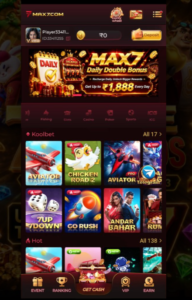
Before Installing an APK
Before starting an APK installation guide, check the following information:
| Check | What to Verify |
|---|---|
| App Name | Correct application name |
| Publisher | Identifiable developer or company |
| Version | Current supported version |
| Source | Official or trusted distribution source |
| Permissions | Reasonable permissions for the app |
| Device | Android compatibility |
| Storage | Sufficient available space |
Keeping Android and other device software updated can also help maintain compatibility and security.
Check the APK Source
The source of an APK is one of the most important things to consider. Users should prefer official websites, recognized app stores or other authorized distribution channels.
Avoid downloading applications from websites that promise modified versions, unlocked features or unusual benefits. These files may not be the genuine application released by the original developer.
Check Application Permissions
After selecting an application, review the permissions it requests. Permissions should make sense for the features the application provides.
If an application requests access that appears unrelated to its purpose, users should stop and investigate the application source before continuing.
Android Compatibility
Not every APK works on every Android device. Compatibility can depend on the Android version, device architecture, available storage and requirements specified by the application developer.
Before installation, users should check the application’s supported Android versions and device requirements.
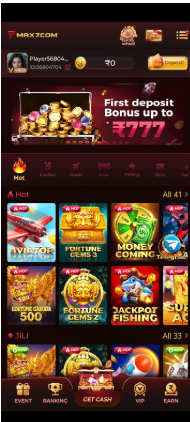
Installation Safety
If an application is distributed through an official app store, users should normally use the store’s installation process rather than obtaining a separate APK file.
When an authorized developer specifically provides an APK, users should follow the installation instructions supplied by that developer and verify that the file has come from the correct source.
Do not install files received through unknown messages or suspicious websites.
After Installation
APK installation guide After an application has been installed, check that:
- The application name is correct.
- The publisher information matches the expected developer.
- The installed version is current.
- The application behaves as expected.
- No unusual permissions or requests appear.
- Account credentials are entered only into the legitimate application.
If anything appears suspicious, stop using the application and remove it.
MAX7Game Features
APK installation guide is designed around features that make online game discovery simple and convenient.
Key features may include:
- Simple and responsive interface
- Mobile-friendly gaming experience
- Multiple digital game categories
- Easy account registration
- Convenient MAX7Game Login
- Account management
- New game discovery
- Regular platform updates
- Modern browser compatibility
- Mobile and desktop access where supported
- Simple navigation
- Updated gaming information
The exact features available can change when the platform receives updates.
MAX7Game Gaming Categories
The available APK installation guide collection can include different types of digital games. Categories may change depending on the current platform catalogue.
Popular Games
Popular games provide users with a convenient way to discover titles currently receiving attention on the platform.
Arcade Games
Arcade games generally focus on simple controls, short challenges and accessible gameplay. They can be suitable for users looking for quick digital entertainment.
Casual Games
Casual games are usually designed around straightforward concepts and easy-to-understand gameplay. They can be convenient for users who want a simple gaming experience.
Puzzle Games
Puzzle games focus on logic, patterns and problem-solving. Different titles can provide different challenges and gameplay mechanics.
Strategy Games
Strategy-based games allow users to think through different possibilities, plan actions and make decisions during gameplay.
New Games
The new-games section can help users discover recently added titles and updated gaming content. Users should check the current MAX7Game platform for the latest additions.
How to Access MAX7Game
Getting started with MAX7Game is designed to be straightforward.
Step 1: Visit MAX7
Open the official Max7 Gaming platform using a compatible smartphone, tablet or desktop browser.
Step 2: Create an Account
If registration is required for a particular feature, select the registration option and provide the information requested by the platform.
Step 3: Complete Registration
Follow the instructions displayed by the platform and complete the account creation process.
Step 4: Login
Existing users can open the MAX7Game Login section and enter their registered account credentials.
Step 5: Explore Available Games
Once access is available, browse the different categories and explore the games currently offered.
Step 6: Check Current Platform Information
Game availability, supported devices and platform features can change. Check the latest official information before using new features.

APK Updates
Applications can receive updates that improve compatibility, fix problems and introduce new features. Users should obtain updates from the same trusted source used for the original application whenever possible.
Avoid downloading a newer APK simply because a third-party website describes it as a “latest version.” Verify the version through the application’s official developer or authorized distribution channel.
Common APK Problems
Users may encounter problems such as an incompatible Android version, insufficient storage, a damaged installation file or an outdated application.
A basic troubleshooting approach is to check the device requirements, available storage, application source and current version information. If the problem continues, use the developer’s official support information.
APK Security Tips
For safer Android application use:
- Download applications from trusted sources.
- Verify the developer before installation.
- Avoid modified or suspicious APK files.
- Review application permissions.
- Keep Android updated.
- Keep applications updated.
- Avoid suspicious download links.
- Do not share account passwords.
- Remove applications that behave unexpectedly.
MAX7Game Login
MAX7Game Login allows registered users to access their account and supported platform features.
Users should enter their credentials only through the official APK installation guide login section. Passwords should remain private and should never be shared with unknown individuals.
If a login problem occurs, users should use the official account recovery or support option rather than entering their credentials on an unrelated website.
MAX7Game Update
A MAX7Game Update may introduce new titles, interface improvements, compatibility changes or other platform enhancements.
Users should check the official Max7 Gaming source when looking for the latest update. Downloading updates from unknown websites can create unnecessary security and compatibility concerns.
Keeping the application and device software updated can help users maintain compatibility with supported platform features.
MAX7Game for Desktop
Although APK installation guide is designed with mobile users in mind, compatible desktop browsers can provide another way to access the platform where supported.
A larger screen can make browsing categories, reading game information and managing account settings more convenient.
Users should use a modern, updated browser and access the platform through its official website.
What is an APK?
APK is the Android application package format used to distribute and install Android applications.
Is every APK safe?
No. An APK’s safety depends on its source, authenticity and contents. Users should verify the developer and distribution source before installation.
Where should I get an APK?
Use an official app store or an authorized source provided by the application’s developer whenever possible.
How can I check an APK?
Check its application name, developer, version, source and requested permissions before installing it.
Should I use modified APK files?
It is safer to avoid modified or unofficial application packages because their contents and source may not be trustworthy.
Why does an APK fail to install?
Possible reasons include device incompatibility, insufficient storage, an outdated Android version or a damaged installation file.